Openers · Toronto
Smart Garage Controller Setup
It is February. You come down in the morning and the garage door has stood open all night; the car is frosted inside, the furnace has run without a pause, and the pipe in the shared wall is your first worry.
Smart Garage Controller Setup
In plain words
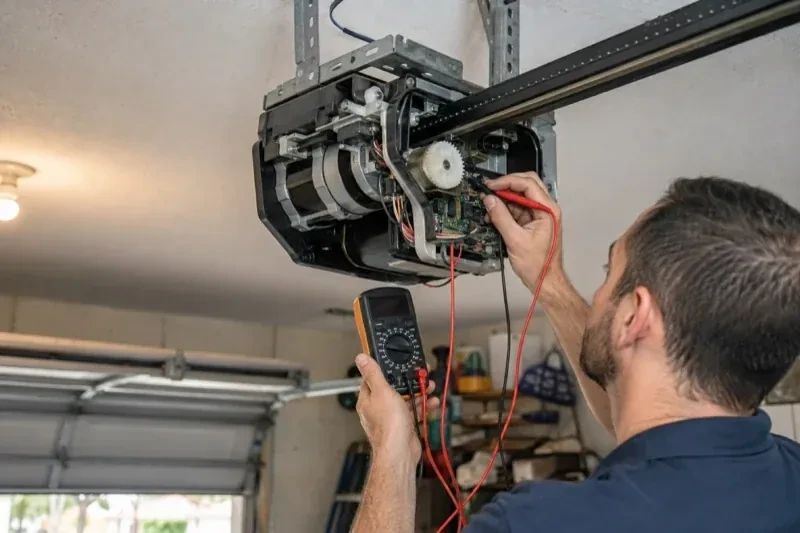
A smart controller is only as good as the wireless signal at the garage ceiling, often the farthest corner of the house from the router. The technician measures signal where the hub will sit, on the 2.4 GHz band most hubs use, before anything is mounted. A strong reading means a straightforward join to your network. A weak one, common in detached garages and behind insulated steel doors, is solved with a small access point or extender placed to bridge the gap, rather than an install that keeps dropping offline. Once connected, the hub takes its firmware update and holds its link through router restarts on its own.
How the visit goesIt is February. You come down in the morning and the garage door has stood open all night; the car is frosted inside, the furnace has run without a pause, and the pipe in the shared wall is your first worry. Nobody knew, because nothing told anyone.
Toronto
How the visit goes
Whether the radio is already inside
Many openers sold in the last several years already contain a wireless radio, and the check is simple: a network symbol printed on the head unit, a dedicated indicator light, or a mention of an app in the manual. When the radio is built in there is no hub to mount and no sensor to fit; the opener itself reports door position from its own travel sensing. The technician confirms the radio has not been paired to a previous owner's account, notes the serial number the app will ask for, and checks that the unit's firmware is a version the current app still supports. If so, the job becomes configuration rather than installation.
Taking over a controller left by a previous owner
When the house came with a hub or a connected opener still tied to the seller's account, the device is first removed from that account if the seller can be reached, and otherwise reset to factory settings using the maker's documented procedure. The hub or opener is then paired fresh, joined to your network and claimed under your new login. Any sensor already on the door is checked for battery and placement and re-paired rather than assumed to be working. The old account is cut off from the door for good, and the history you see from then on starts with your household.
When the internet is down
A dropped connection changes less than you might fear. Your wall console, remotes and keypad talk directly to the opener and keep working through any outage. What pauses is the phone side: status updates, alerts and commands from outside the house wait until the hub reconnects, which it does on its own once the router is back. If you change routers or rename your network, the hub needs to be walked through the join process again, using the same steps you watched during setup. The door itself, and the safety features on it, never depend on the cloud.
Smart Garage Controller Setup
In the van
- Dry-contact adapter for encrypted openers
- Replacement photo-eye pair
- Receptacle splitter with approval mark
- Mounting screws and brackets
- Retrofit smart hub
What affects the quote
Same fees day, night or weekend
1Wiring route
Where the hub is wired to the wall-control terminals, the distance and route from hub to console, clipped clear of the chain and trolley, sets the time for that step.
2Power for the hub
The hub plugs into the opener's ceiling receptacle. If there is no spare socket, an approved splitter or a receptacle added by an electrical contractor becomes part of the plan.
3Wireless coverage at the garage
A strong signal at the ceiling is a straightforward join. A weak one, common in detached garages, calls for an access point or extender, which is quoted separately.
Smart Garage Controller Setup: questions
Can I see who opened the door and when?
Yes. The app keeps a history of every open and close with the time and, where a user was signed in, the name. Opens from a remote or the wall button are logged as well, though without a name attached. Many people find this the feature they use most: confirming that a teenager arrived, that a delivery went in, or that the door really did close at bedtime.
What kind of Wi-Fi does it need?
A normal home network with a modern security type and a usable signal at the garage ceiling. Most hubs connect on the 2.4 GHz band, which travels farther through walls than 5 GHz, so a router that broadcasts both is fine as long as the 2.4 GHz network is switched on and can be selected. The technician measures the signal where the hub will sit before mounting anything.
What should I have ready before the visit?
A photo of the label on the opener and of the learn button, your Wi-Fi network name and password to hand, the phone you will use with the app charged and updated, and the email address the account should live under. If the house came with an existing controller, any paperwork or the seller's contact details help. Knowing which family members need access saves time at the end.
Openers & Access
Smart Garage Controller Setup near you
Every garage door service we offer in Toronto is described the same way: what you might have noticed, what the technician checks first, how the work is done and what you have afterwards. Start with the symptom you are seeing and the right service will be easy to find.